
bryant ecobee3 Lite Smart Thermostat User Guide




ecobee3 lite
Smart Thermostat Pro
1
Download the ecobee mobile app.
2
3
Create an ecobee account.
Follow the add device instructions in the app,
then ensure your device is connected to Wi-Fi.
Our dedicated Customer Support staff is standing by. Visit ecobee.com/get-help
if you need assistance or access support directly in the app.
Get to know your
Smart Thermostat.
Current Mode
Main Menu
Change between heating,
cooling, auto, and other modes.
Explore your
device’s settings.
Weather
Humidity
Temperature
Change the
Temperature
72
72
72
More than just temperature changes.
Here you’ll see the temperature that your Smart Thermostat is
heating or cooling to. You’ll also see other things that your Smart
Thermostat is doing, like running the fan, setting temperature
holds, and more. You can always tap here to change the
temperature and cancel an action by tapping the ‘x’.
How Bryant and ecobee make
your home comfortable and
energy efficient.
Connected.
Utilizing Bryant’s digital tools, dealers can gather system
settings and equipment data, with homeowner opt-in, to
provide quicker and more efficient service.
Expertly Installed.
When installed by a Bryant contractor, homeowners can trust
their smart thermostat is configured to optimally run their
heating and cooling equipment.
Comfort Settings.
Comfort settings are your ideal temperatures for when you’re at
home, away, or sleeping. Your Smart Thermostat will use these to
ensure your home is always comfortable and energy efficient.
Schedules.
Setting up a schedule that matches your real routine is an easy
way to save on energy costs. ecobee will also send you
recommendations to improve your schedule to save even more.
Smart Home & Away.
Your ecobee for Bryant Smart Thermostat automatically adjusts
heating and cooling for comfort when you’re home and energy
savings when you’re away.
Works with SmartSensors.
Can be paired with SmartSensors to help with hot or cold spots
throughout the home. Sold separately.
Integrate with other smart home ecosystems.
Your ecobee for Bryant Smart Thermostat works with Amazon
Alexa, Apple HomeKit, Google Assistant, Samsung SmartThings,
and IFTTT, so you can customize your home the way you want.
WITH
PATENT PENDING
Congratulations on purchasing an ecobee for Bryant Smart
Thermostat with patent-pending, InteliSense™ Technology.
When you pair your thermostat with Preferred™ series
equipment, and opt-in to data sharing, the InteliSense
experience begins. Your dealer will be able to:
– Remotely view the operational health of your system.
– Use digital tools to provide more efficient customer
service and remotely troubleshoot your system.
Visit Bryant.com to learn more about this and other
products to make your home more comfortable and
energy efficient.
© 2023 ecobee Technologies ULC. All rights reserved. ecobee and
the ecobee logo are trademarks of Generac Power Systems, Inc.,
registered in the U.S. and other countries. Designed in Canada.
The Bryant logo is a registered trademark of Carrier.
Innovation, Science and Economic Development Canada
(ISED) | Compliance Notice:
This device contains licence-exempt transmitter(s)/receiver(s) that
comply with Innovation, Science and Economic Development
Canada’s licence-exempt RSS(s). Operation is subject to the
following two conditions:
Approvals
This Product was designed and built in accordance to RoHS
directive 2002/95/EC and contains no hazardous substances
as defined by this directive.
1. This device may not cause interference.
2. This device must accept any interference, including
interference that may cause undesired operation of the device.
FCC Compliance Statement | Compliance Notice:
The device for operation in the band 5150-5250 MHz is only for
indoor use to reduce the potential for harmful interference to
co-channel mobile satellite systems.
This equipment has been tested and found to comply with the
limits for a Class B digital device, pursuant to part 15 of the FCC
Rules. These limits are designed to provide reasonable protection
against harmful interference in a residential installation. This
equipment generates, uses and can radiate radio frequency
energy and, if not installed and used in accordance with the
instructions, may cause harmful interference to radio
RF Exposure Statement:
This equipment complies with IC RSS-102 radiation exposure
limits set forth for an uncontrolled environment. This transmitter
must be installed to provide a separation distance of at least
8 inches from all persons and must not be colocated or
operating in conjunction with any other antenna or transmitter.
communications. However, there is no guarantee that
interference will not occur in a particular installation. If this
equipment does cause harmful interference to radio or television
reception, which can be determined by turning the equipment off
and on, the user is encouraged to try to correct the interference
by one or more of the following measures:
FCC ID: WR9EBSTAT3LT01 IC: 7981A-EBSTAT3LT01
CAN ICES-3 (B)/NMB-3(B)
–
–
–
Reorient or relocate the receiving antenna.
Increase the separation between the equipment and receiver.
Connect the equipment into an outlet on a circuit different
from that to which the receiver is connected.
Consult the dealer or an experienced radio/TV technician
for help.
Warning: Changes or modifications not expressly approved
by ecobee Inc. could void the user’s authority to operate the
equipment.
–
Legal Notice
For full access to ecobee features such as remote operations,
mobile alerts and software updates, your ecobee device requires
a Wi-Fi network, a working Internet connection, a compatible iOS
or Android device, the free ecobee app, and an ecobee account.
The availability of certain features and services are service-,
device-, and network- dependent and may not be available in all
areas. All features, functionality, and product specifications are
subject to change without notice.
This device complies with part 15 of FCC rules. Operation is
subject to the following two conditions:
–
–
This device may not cause harmful interference.
This device must accept any interference received, including
interference that may cause undesired operation.
Change or modifications that are not expressly approved by
the manufacturer could void the user’s authority to operate the
equipment.
Use of the Works with Apple badge means that an accessory has
been designed to work specifically with the technology identified
in the badge and has been certified by the developer to meet
Apple performance standards. Apple is not responsible for the
operation of this device or its compliance with safety and
regulatory standards.
RF Exposure Information:
This equipment complies with FCC radiation exposure limits set
forth for an uncontrolled environment. In order to avoid the
possibility of exceeding the FCC radio frequency exposure limits,
human proximity to the antenna shall not be less than 8 inches
during normal operation.


| General | Details |
|---|---|
| Name | bryant ecobee3 Lite Smart Thermostat User Guide |
| Make | bryant |
| Language | English |
| Filetype | PDF (Download) |
| File size | 0.25 MB |
 (1 votes, average: 5.00 out of 5)
 Loading...

bryant SYSTXBBECC01-C Evolution Connex Control Thermostat Owner’s Manual

TSTATBBEWF-01 Bryant Smart Thermostat Owner’s Manual

bryant Smart Thermostat User Guide
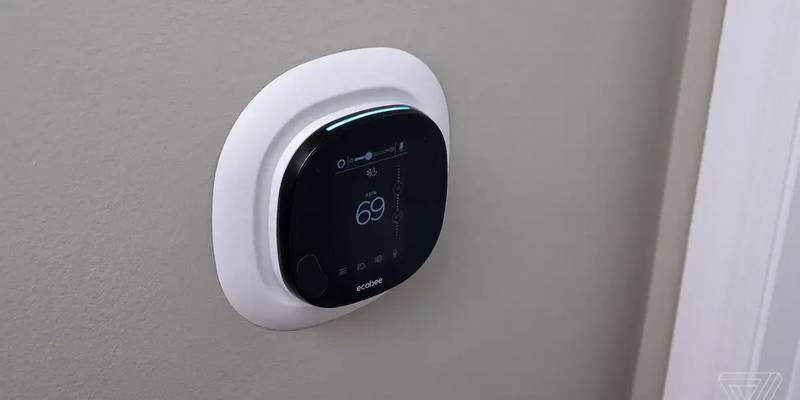
bryant ecobee3 Lite Smart Thermostat User Guide Overview
Summary of Contents
- Page 1: ecobee3 lite Smart Thermostat Pro To start using your Smart Thermostat: Download the ecobee mobile app. Create an ecobee account. Follow the add device instructions in the app, then ensure your device is connected to Wi-Fi. Get to know your Smart Thermostat. Change between heating, cooling, auto, and other modes. Comfort settings are your ideal temperatures for when you’re at home, away, or sleeping. Setting up a schedule that matches your real routine is an easy way to save on energy costs. Your ecobee for Bryant Smart Thermostat automatically adjusts heating and cooling for comfort when you’re home and energy savings when you’re away. Your ecobee for Bryant Smart Thermostat works with Amazon Alexa, Apple HomeKit, Google Assistant, Samsung SmartThings, and IFTTT. Congratulations on purchasing an ecobee for Bryant Smart Thermostat with patent-pending, InteliSense™ Technology.
- Page 2: ecobee3 lite thermostat intelligent pro Avant d’utiliser votre thermostat intelligent : Téléchargez l’appli mobile ecobee. Créez un compte ecobee. Familiarisez-vous avec votre thermostat intelligent. Basculez entre les modes chauffage, climatisation, automatique ou autres modes. Les paramètres de confort sont les températures idéales pour vous lorsque vous êtes à la maison, absent, ou lorsque vous dormez. La mise en place d’un programme qui correspond à votre routine réelle est un moyen facile d’économiser sur les coûts énergétiques. Votre ecobee pour le thermostat intelligent Bryant règle automatiquement le chauffage et la climatisation pour assurer votre confort lorsque vous êtes à la maison. Peut être couplé avec des SmartSensors afin d’uniformiser la température dans votre résidence. Votre thermostat intelligent ecobee fonctionne avec Amazon Alexa, Apple HomeKit, Google Assistant, Samsung SmartThings et IFTTT.

STELPRO STZW402+ Electronic Thermostat for The Smart Home Owner’s Manual

GENERAL LIFE HT500 SET Smart Room Thermostat User Manual

Robertshaw RS8210 Thermostat Installation Guide

eurotronic Comet Zigbee Energy Saving Radiator Thermostat Instruction Manual

sygonix 2522212 Installable Thermostat Instruction Manual
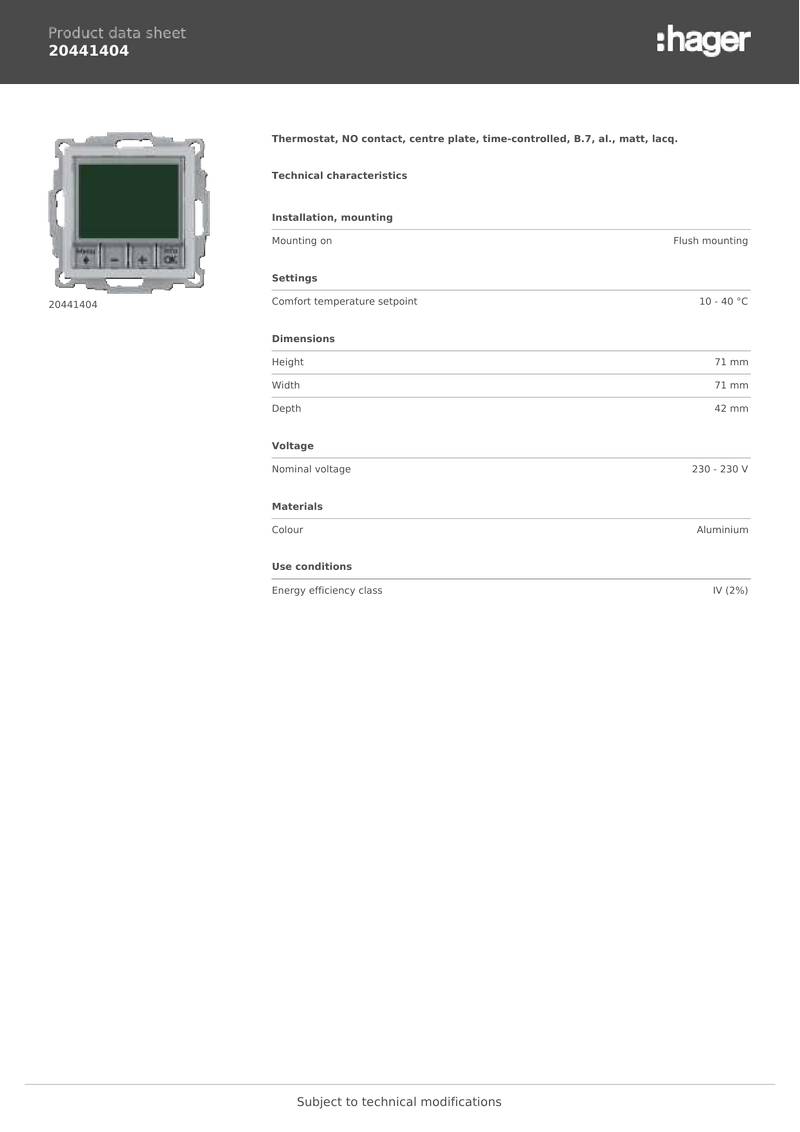
hager 20441404 Thermostat Owner’s Manual

URC Support TIDE DIAL Smart Thermostat User Guide

HomeHome App ESP01V2 Mini Relay Thermostat Installation Guide

VASCO BHT-3000 Series Thermostat User Guide

SIEMENS ET 134-22 Low Temperature Detection Thermostat Instructions