
tado Smart Radiator Thermostat Installation Guide
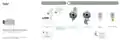
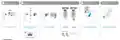


Connect Internet Bridge to Router
Pairing
1
pairing
cloud
router
power
2 MIN
Connect Ethernet and USB
cable
Press pairing button to
Remove the battery
strip to activate the
device
Press the button for 3s to
activate pairing
Pairing
(up to 2 min)
Ready for mounting
activate pairing mode
To allow other devices to connect to
the Internet Bridge
Guide for Professional Installers
Pairing Error
Smart Radiator Thermostat
•
Restart device by
removing and putting
back the batteries
•
Restart pairing and
keep 3 m distance
between the Internet
Bridge and device
no free USB
connector available
If you are not a professional installer and want to install tado° yourself,
get step-by-step instructions at tado.com/start

| General | Details |
|---|---|
| Name | tado Smart Radiator Thermostat Installation Guide |
| Make | Tado |
| Language | English |
| Filetype | PDF (Download) |
| File size | 1 MB |
 (1 votes, average: 5.00 out of 5)
 Loading...

tado ST02 Wired Smart Thermostat X Installation Guide

tado SRTX_ADAPTER Smart Radiator Thermostat Instruction Manual

tado 104388 Smart Thermostat Installation Guide

tado Smart Thermostat V3+ User Guide

tado Smart AC Control V3+ Thermostat Instruction Manual

tado TRV3 Smart Radiator Thermostat User Guide

tado Wired and Wireless Smart Thermostat User Guide

tado 104388 Smart Thermostat

tado Smart Radiator Thermostat Installation Guide Overview
Summary of Contents
- Page 1: Connect Internet Bridge to Router Pairing Press pairing button to activate the device Remove the battery strip to activate the device Press the button for 3 seconds to activate pairing Ready for mounting To allow other devices to connect to the Internet Bridge Guide for professional installers Restart device by removing and putting back the batteries Restart pairing and keep 3 meters distance between the Internet Bridge and device If you are not a professional installer and want to install tado° yourself, get step-by-step instructions at tado.com/start
- Page 2: Document locations of installed devices Deactivate pairing after the last installation Prepare mounting Mounting Unmount the existing thermostatic valve head Attach the thermostat mounting bracket Mount the Smart Radiator Thermostat head Calibration successful Place sticker into the setup card and note down the device’s location Press pairing button on Internet Bridge to deactivate pairing mode

Honeywell RTH6300B Programmable Thermostat Installation Guide

alza WT410 Thermostat User Manual

WILLIAMS P322016 Thermostat Instruction Manual

4512673 Heatit ZM Thermostat 16A User Guide

EcoNet RETST800SYS Smart Thermostat User Guide

shadow-caster SCM-Series Thermostat Instruction Manual

velleman K2649 Thermostat with LCD Display Instruction Manual

Honeywell TH5220D1003 Heater Thermostat Owner’s Manual

STEGO Type STO-STS 011 Mechanical Thermostat Instruction Manual

Beok TGW60B Programmable Smart Wi-Fi Thermostat User Guide